Just text it.
No app, no form. Say it the way you’d tell a friend, with the day and the time, and remind/about saves it.
Then just ask.
What’s on today, a time that needs moving, a break while you’re away. Ask it in your own words, and it texts back.
Rename one, add a heads-up, change who hears, or undo the last change.
Loop in the people who care.
Text a reminder and say who to invite. Once they accept and you say yes, they get a quick text when it’s done. Only on the ones you pick.
Or say it.
Hands full? Send a voice note. remind/about listens, saves it, and texts back what it saved. Reply undo if it heard you wrong.
Or send a photo.
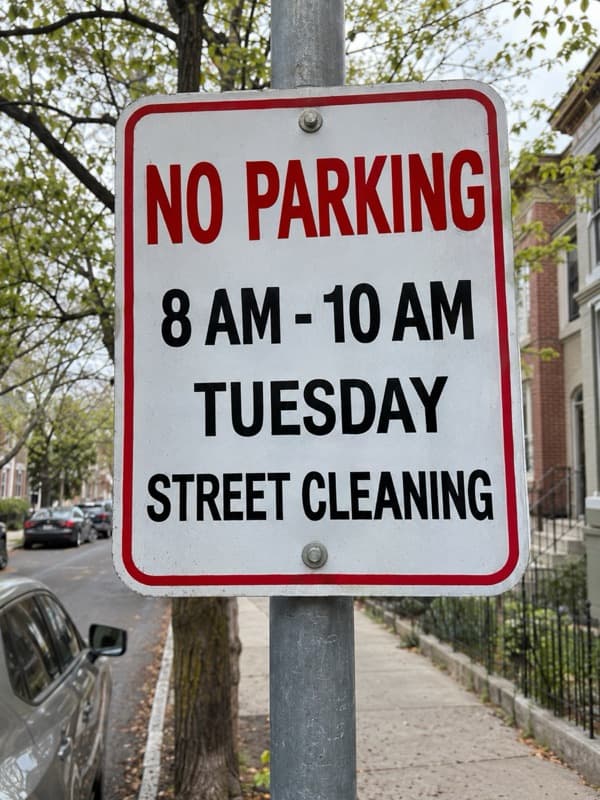
The parking sign, the appointment card, the syllabus. Send a photo with a few words, and remind/about reads the rest.
- Today 9:40 AM
Reply: A photo:
Call it what you want.
Each text leads with the name you gave it, so it says as much as you want and no more. Anyone you add sees the same name.
Missed one? Nothing breaks.
Tomorrow’s text still comes. No streaks to lose.
Or add it from your calendar.
Add add@remindabout.app as a guest on any event, or forward the invite. It saves straight away, and you can reply undo within an hour.
Weeks ahead, too.
Text it in today, for any day in the next 60. Nothing arrives until the day it’s for.
A text at the right time works.
Not a notification you swipe away. A text, in the same thread as everyone you talk to.
Questions, answered.
Do I need to download anything?
No. Reminders are ordinary texts. You verify your number once, and that’s it.
What do my followers see?
Only what you share. Anyone you invite and approve gets a short text when a reminder you share goes out, when it’s done, and if it’s still open three hours later. Never your messages, your location or your other apps.
Who controls it?
You do. You set the reminders, approve who follows along, and can remove anyone anytime.
What appears in the texts?
The reminder’s name and time, so you know what to do. See the complete text message program.
Can I set a reminder for just one time?
Yes. Choose Just once, pick the day and time, and decide who, if anyone, hears about that reminder alone. Or just text it in.
Can I just text it in?
Yes. Text it the way you’d say it, like “therapy thursday at 3” or “gym monday wednesday friday at 7am”. remind/about texts back the day and time, and most are saved straight away: reply undo within the hour to remove it. If someone else will hear about it, or it would text you within the hour, it asks you first.
Can I change a reminder by text?
Yes, any reminder you set up yourself. Move it, rename it or change how it repeats, and it’s usually done straight away; reply undo within the hour to put it back. Pause and resume happen straight away too, and the reply says how to switch back. Stopping a reminder, changing who hears about it, a change to one that’s due soon, or one where it isn’t sure which reminder you mean asks you first.
Does it work with my calendar?
Yes, through invites. Add add@remindabout.app as a guest on an event, or forward the invite to it, and the event becomes a reminder. It saves straight away, and you can reply undo within an hour. If the event moves or is cancelled, the reminder follows, or you’re asked first. It works with single events that have a start time; repeating and all-day events aren’t supported.
Can I stop the texts?
Yes. Reply STOP to end texts at any time, and remove a follower whenever you like.